
How to Choose a Managed IT Provider for Your Business
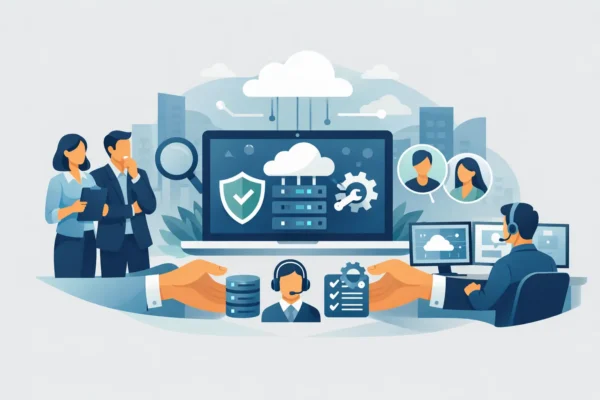
At 9.15 on a busy Monday, a slow server, locked Microsoft 365 account or failed internet connection can affect far more than one employee. Orders stop moving, customers cannot get answers and your team loses confidence in the systems they rely on. Knowing how to choose a managed IT provider means looking beyond a low monthly price and finding a partner that can keep your business productive when it matters.
For many small and mid-sized organisations, outsourced IT is not simply a technical purchase. It is a decision about continuity, security, staff experience and future growth. The right provider should resolve day-to-day issues quickly while helping you make better technology decisions before problems become expensive.
Start with the business outcomes you need
Before comparing suppliers, be clear about what is not working today and what your business needs to achieve over the next 12 to 36 months. A practice with sensitive client data may prioritise cyber security and compliance. A growing business opening a second office may need reliable connectivity, voice systems and a network designed for multiple sites. An established firm with a lean internal team may simply need a dependable helpdesk and experienced engineers who can attend on site when required.
Write down the risks that are causing the most disruption. These could include recurring downtime, slow staff onboarding, unsupported hardware, poor Wi-Fi coverage, lack of backups or uncertainty around Microsoft 365 security. This gives prospective providers useful context and makes it easier to assess whether their recommendation is tailored or generic.
A good managed IT provider will ask practical questions about your people, premises, systems, suppliers and plans. They should be interested in how your business operates, not just how many laptops you have.
How to choose a managed IT provider with the right support model
Managed IT support varies widely. Some suppliers offer a remote-only service suited to straightforward environments, while others combine remote helpdesk support with on-site engineering, project delivery and strategic consultancy. Neither model is automatically better. The right choice depends on the complexity of your estate, where your people work and how quickly you need hands-on support.
Ask exactly what is included in the monthly agreement. Does it cover unlimited remote assistance, user administration, device monitoring, patching, Microsoft 365 support and routine maintenance? Are visits included, chargeable or available only at certain times? If a major incident occurs outside normal hours, who responds and what does that cost?
Clarity matters because vague agreements often create tension at the worst possible moment. You should understand what is covered, what counts as project work and how the provider will obtain approval before extra charges are incurred.
Look beyond a headline response time
A supplier may promise a fast response, but that can mean an automated acknowledgement rather than a technician taking ownership. Ask how they measure response and resolution, how incidents are prioritised and whether you will have a named contact or account manager.
The first person answering the phone also matters. Real people who can understand the issue, communicate clearly and escalate appropriately make a noticeable difference to staff who are unable to work. Find out whether support is delivered from the UK, whether you can call as well as log a ticket, and how the provider handles urgent business-wide faults.
Ask for examples of typical response times and the process used for priority-one incidents. A provider does not need to claim they can fix every issue instantly. They do need a credible plan for restoring service, keeping you informed and coordinating with third parties such as internet providers or software vendors.
Test their cyber security and resilience approach
Cyber security should be built into managed support, not sold as an afterthought once something goes wrong. Your provider should be able to explain, in plain English, how it protects user accounts, devices, networks, email and data.
This does not mean every business needs the same set of tools. The appropriate level of protection depends on your sector, data, insurance requirements and risk appetite. However, most organisations should expect a conversation about multi-factor authentication, endpoint protection, patch management, email security, secure backups, access controls and staff awareness.
Ask where your data is backed up, how often recovery is tested and how quickly critical systems could be restored after ransomware, hardware failure or an accidental deletion. Backups that have never been tested are not a recovery plan.
If Cyber Essentials, contractual security standards or data protection obligations apply to your business, choose a provider that can connect technical controls with the evidence you need to show. They should help you understand the work involved rather than presenting compliance as a box-ticking exercise.
Check whether they can plan, not just fix
The most valuable IT relationships are proactive. A provider that only appears when a printer fails or a laptop breaks may keep the lights on, but it will not necessarily help you reduce risk or spend wisely.
Ask how often you will review your IT roadmap. Regular conversations should cover ageing equipment, licence usage, security improvements, upcoming renewals, office moves, connectivity, cloud migration and growth plans. This is particularly useful for owner-managed businesses where technology decisions often compete with dozens of other priorities.
Strategic advice should remain commercially practical. Recommending a full replacement programme may be sensible if systems are unsupported and failing, but it may not be the right answer if a phased approach protects cash flow without increasing risk. A trusted partner will explain the trade-offs, provide options and help you decide what needs action now versus what can be planned for later.
Assess capability across your whole IT estate
Fragmented suppliers can make fault finding slow and frustrating. One company blames the network, another blames the cloud platform and a third maintains the phone system. Where possible, choose a provider that can take responsibility for the core services your business depends on, or that has a clear process for managing specialist suppliers.
This does not mean one provider must replace every existing relationship. Some organisations have sector-specific software vendors or internal IT expertise that should remain in place. What matters is clear ownership, documented responsibilities and a provider willing to coordinate rather than pass problems around.
Look for experience in the areas relevant to your environment, including Microsoft 365, cloud services, networking, Wi-Fi, cabling, server infrastructure, connectivity, voice, hardware procurement and disaster recovery. If you are planning an office move, merger or major migration, ask who will lead the project and whether that work is delivered by their own engineers.
Compare proposals on value, not price alone
A lower per-user fee can be attractive, especially when budgets are tight. But it is worth examining what you would be giving up. Limited support hours, excluded devices, weak monitoring, slow escalation or unexpected project charges can make a cheap contract costly over time.
Compare proposals using the same assumptions: number of users and devices, locations, support hours, security services, on-site requirements and project expectations. Ask each provider to identify exclusions and likely additional costs. A transparent proposal should be easy to understand without a technical background.
Also consider the cost of poor support. A few hours of downtime for a sales team, warehouse, professional practice or customer service function can outweigh months of savings on a cheaper contract. The aim is not to buy the most expensive service. It is to invest at a level that matches the operational risk your business carries.
Speak to customers and meet the people who will support you
Case studies and testimonials are useful, but a conversation with a current client can reveal more. Ask references whether the provider communicates well, handles difficult incidents calmly and follows through on promises. Find out how they perform after the first few months, when the initial onboarding period has passed.
It is equally sensible to meet the people who will manage your account. Technical ability is essential, but the relationship should feel straightforward and collaborative. You need people who will explain options without jargon, challenge risky decisions when necessary and remain accessible when something urgent happens.
For businesses across the Midlands and the wider UK, local on-site capability can be especially valuable alongside remote support. Nubis 365 combines remote helpdesk access with practical on-site engineering and technology planning, helping organisations keep immediate issues moving while preparing for what comes next.
Make onboarding part of the decision
Changing IT providers can feel risky, particularly if documentation is incomplete or previous support has been inconsistent. A capable provider will make the transition less disruptive by setting out a clear onboarding plan before you sign.
Ask how they will gain access to systems, document your environment, review security settings, contact incumbent suppliers and communicate with staff. You should know what they need from you, which changes may cause brief disruption and what early improvements they expect to make. Good onboarding creates a baseline for support and often exposes hidden risks that need attention.
The right managed IT provider should leave you feeling more informed and more in control, not dependent on unexplained technology. Choose the team that listens carefully, makes commitments it can evidence and gives your people confidence that help is there when they need it.