
Check your attack surface before you start to work.
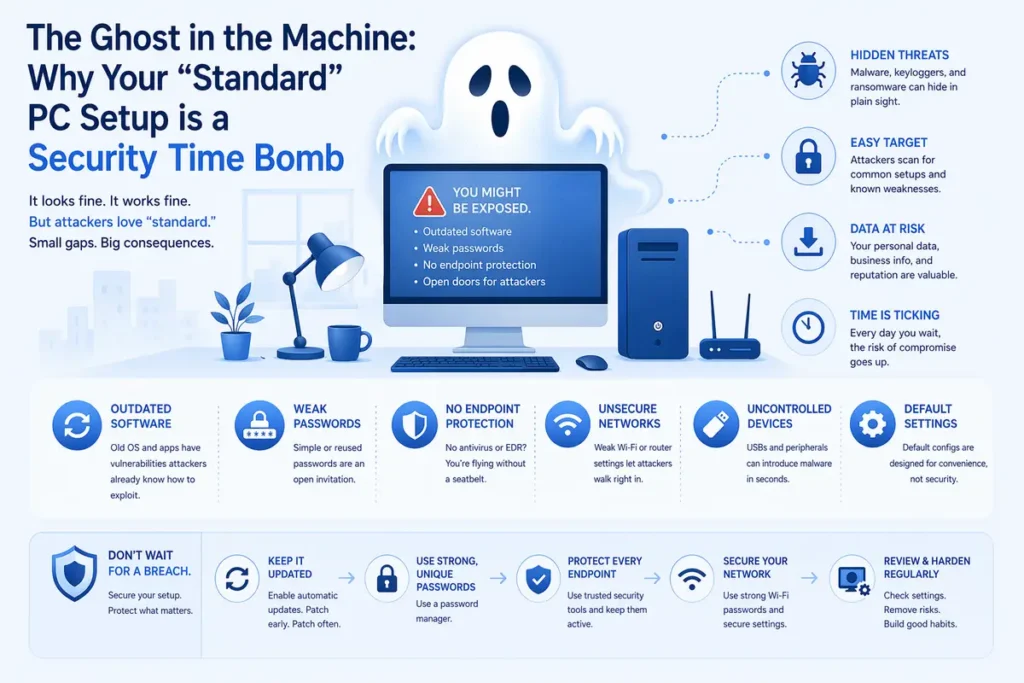
In the world of IT, we often talk about “standardisation” as a virtue. We want every PC Setup in the fleet to look the same, act the same, and run the same tools. But in the shadows of these standard deployments, a silent threat is growing: Legacy Drag.
Legacy drag occurs when old versions of software, forgotten utility plugins, or outdated browser engines linger on a system alongside their modern updates. To a user, these are just harmless, unused files. To a cybercriminal in 2026, they are an unlatched back door into your entire corporate network.
PC Setup – The Browser Battleground: A Case Study in CVE-2026-6296
Nothing illustrates the danger of legacy elements better than the recent discovery of CVE-2026-6296. This critical vulnerability (CVSS 9.6) targets the ANGLE graphics engine—a component used by Chromium-based browsers like Chrome and Edge to render hardware-accelerated graphics.
The exploit is a “Heap Buffer Overflow” that allows an attacker to achieve something once thought nearly impossible: a Sandbox Escape. By simply tricking a user into visiting a malicious webpage, an attacker can break out of the browser’s isolated environment and execute code directly on the host operating system.
The “Side-by-Side” Trap
Many organisations believe they are safe because their inventory shows “Microsoft Edge 147.0.3912.72” (the patched version) is installed. However, a deeper look often reveals that Version 142.x or Chrome 137.x is still sitting in the C:\Program Files (x86) or %LocalAppData% folders.
If a phishing link—such as those recently seen from the forecourteye.site campaign—is opened, and for any reason the system defaults to or allows the launch of that older binary, your £90,000-bounty-level security patch is effectively bypassed. You aren’t just running a browser; you’re running a museum of vulnerabilities.
Why Decommissioning is the New Perimeter
In 2026, the “perimeter” isn’t a firewall at the edge of your office; it’s the hygiene of the endpoint itself. Removing legacy elements is necessary for three primary reasons:
- Reduction of the Attack Surface of your PC Setup: Every line of old code is a potential exploit primitive. If an app isn’t there, it can’t be exploited.
- Inventory Integrity: Security teams cannot protect what they cannot see. If your EDR is screaming about an old version of Chrome that “shouldn’t exist,” your response time is slowed by the confusion of “ghost” versions.
- Modern Defense Compatibility in your PC Setup: Legacy software often lacks the hooks required for modern security features like Memory Tagging Extension (MTE) or advanced hardware-enforced stack protection.
PC Setup – The Role of AI in Vulnerability Management
As attackers begin using AI to scan for these legacy “ghosts” in milliseconds, defenders must fight fire with fire. AI is no longer just a buzzword; it is the primary engine for maintaining a clean, secure PC standard.
AI in Security: 2026 Capability Matrix
| Feature | Legacy Method | AI-Driven Method (2026) |
| Vulnerability Scanning | Scheduled weekly scans that bog down system performance. | Continuous Real-time Observability: AI monitors process behavior for anomalies instantly. |
| Patch Prioritization | Patching everything at once, often breaking legacy apps. | Predictive Risk Modeling: AI identifies which CVEs (like 2026-6296) are most likely to be weaponized in your specific environment. |
| Legacy Detection | Manual audits and registry checks. | Automated Shadow IT Discovery: AI identifies “side-by-side” installations and rogue binaries by analyzing execution patterns. |
| Phishing Defense | Blocklists based on known “bad” URLs. | Generative Lure Analysis: AI analyzes the intent and linguistics of a site like forecourteye.site before it even hits a blocklist. |
How to Clean Your “Standard” Setup
To ensure your devices are actually secure, your “Standard Setup” must include a Decommissioning Protocol:
- Aggressive Binary Pruning: Use PowerShell or MDM scripts to search for msedge.exe or chrome.exe in non-standard paths.
- Disable Legacy Protocols: If your business doesn’t need TLS 1.0/1.1 or older versions of SMB, disable them at the OS level.
- User Profile Audits: Periodically wipe the AppData folders of dormant user accounts, which are notorious for harboring outdated “per-user” browser installs.
Q&A: Legacy Security & Modern Threats
Q: If I have the latest version of Edge as my default, am I safe even if an old version is still on the disk?
A: No. Many exploits use “version switching” or direct path execution. If an attacker gains a foothold via a different path, they can manually call the older, vulnerable msedge.exe to perform a sandbox escape, even if it isn’t your default browser.
Q: Why do browsers leave these old versions behind in the first place?
A: Usually for “Update Fallback.” If a new update fails, the browser tries to ensure you aren’t left without internet access by keeping the previous version. However, in an enterprise environment, a failed update is better than a critical vulnerability.
Q: Is it enough to just delete the desktop shortcut for old apps?
A: Absolutely not. The shortcut is just a pointer. The risk lies in the executable files (.exe) and libraries (.dll) sitting in the installation folders. They must be fully uninstalled or the folders deleted.
Q: How does CVE-2026-6296 affect non-Windows users?
A: It is a cross-platform threat. Because ANGLE is the graphics layer for Chromium, Mac and Linux users are equally at risk. If you have an old “Stable” build from late 2025 on a MacBook, it is just as vulnerable to a sandbox escape as a Windows PC if your PC setup is incorrect.
Final Thought
Security in 2026 is about subtraction, not just addition. You don’t need another security tool; you need less “stuff” for the tools you have to worry about. By scheduling the uninstallation of legacy elements today, you are closing the gap that attackers are currently scanning for.
Don’t let yesterday’s software become tomorrow’s breach.