
What Does Outsourced IT Include?
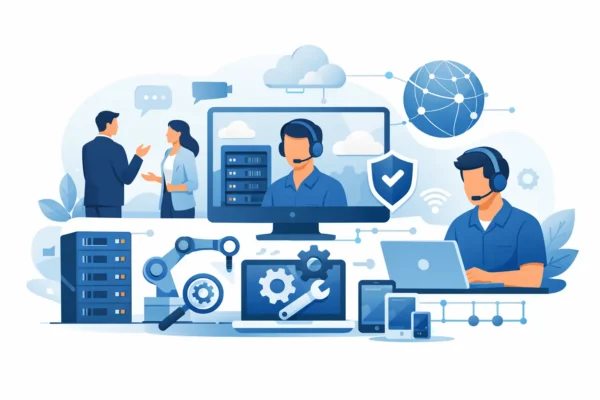
When a member of staff cannot log in, the phones keep dropping out, and a cyber security questionnaire lands in your inbox on the same day, the real question is not whether you need support. It is what does outsourced IT include, and whether your provider can handle more than a handful of tickets.
For many SMEs, outsourced IT is far broader than a remote helpdesk. Done properly, it covers the daily support your team relies on, the infrastructure behind the scenes, and the planning that keeps the business secure, efficient and ready to grow. That scope matters, because plenty of businesses think they are buying IT support when they are really only buying a reactive fix service.
What does outsourced IT include in practice?
At a practical level, outsourced IT usually includes user support, device management, network oversight, cyber security, cloud administration, backups, and strategic advice. The exact mix depends on the size of your business, your sector, and whether you already have internal IT capability.
A small office with twenty users may need a fully managed service where one partner looks after everything from password resets to Microsoft 365 administration and internet connectivity. A larger organisation may already have an internal IT lead but need additional capacity for projects, security, escalations, and holiday cover. In both cases, outsourced IT should reduce risk and improve day-to-day performance, not just respond when something breaks.
The strongest providers also bring structure. That means agreed response times, clear ownership, regular reviews, documentation, and advice that makes commercial sense rather than adding complexity for its own sake.
Day-to-day IT support and helpdesk services
For most businesses, this is the most visible part of outsourced IT. Staff need somewhere to go when they cannot access files, printers fail, laptops slow down, or email stops behaving as it should. A responsive helpdesk gives your team real people to contact, fast fault resolution, and a clear route for urgent issues.
This support often includes remote troubleshooting, user account management, software support, password resets, device setup, and basic training where needed. If your provider only steps in after a major outage, that is not a complete outsourced IT service. Reliable support should deal with the small issues quickly before they become expensive interruptions.
There is also a people element here that gets overlooked. Good outsourced IT is not just technically capable. It should be easy to work with, clear in its communication, and able to support non-technical users without making them feel at fault.
Monitoring, maintenance and patching
A lot of IT work happens quietly in the background. Systems need monitoring, patches need applying, storage needs checking, and hardware needs keeping in a healthy state. This preventative work is one of the main reasons businesses outsource IT in the first place.
Rather than waiting for servers, PCs or firewalls to fail, a managed provider watches performance, spots warning signs, and carries out routine maintenance. That may include operating system updates, antivirus management, patch deployment, hardware health checks, and capacity reviews.
This is where the difference between reactive and proactive support becomes obvious. If problems are only addressed after users report them, your business is already absorbing the downtime.
Cyber security and compliance support
Cyber security now sits firmly inside the outsourced IT conversation. For most organisations, it is not realistic to treat security as a separate issue from support, infrastructure, and user management. They are all connected.
A capable provider will usually include endpoint protection, threat monitoring, email security, multi-factor authentication support, patching, backup oversight, and access control. Depending on your needs, they may also help with cyber awareness training, device policies, conditional access, and incident response planning.
For regulated businesses or those bidding for contracts, compliance support can also be part of the service. That might involve help with Cyber Essentials, documentation, audit preparation, or practical advice on reducing avoidable risks. Not every provider offers the same depth here, so it is worth checking whether compliance support is included or treated as a separate consultancy service.
Microsoft 365, cloud services and user access
Many businesses rely heavily on Microsoft 365 but only use a fraction of what they are paying for. Outsourced IT often includes administration of Microsoft 365 accounts, email, Teams, SharePoint, OneDrive, security settings, and licensing.
This can be especially valuable during periods of change. If you are onboarding new starters, moving from an on-premises server, or trying to improve remote working, cloud support needs to be planned properly. Otherwise, you end up with inconsistent permissions, duplicated data, and staff using workarounds that create more risk.
Cloud services may also include Azure support, hosted environments, backup solutions, and advice on which workloads should stay on-premise and which should move. There is no universal answer. Some businesses benefit from full cloud adoption, while others need a mixed approach for performance, compliance, or cost reasons.
Networks, connectivity and on-site infrastructure
When people think about outsourced IT, they often picture remote support only. In reality, many businesses also need hands-on infrastructure expertise. Your internet connection, Wi-Fi coverage, switches, firewalls, structured cabling, office moves, and server environment all play a direct role in productivity.
A full-service outsourced IT partner may design, install, and support network infrastructure as part of the wider agreement. That means one provider can manage both the user issue at the desk and the network fault in the comms cabinet.
This matters because fragmented support creates delays. If one supplier handles phones, another handles connectivity, and another handles support tickets, faults can bounce between providers while your team waits for answers. Bringing those services together often improves accountability and speeds up resolution.
Backups, disaster recovery and business continuity
Backups are easy to underestimate until something goes wrong. Ransomware, accidental deletion, hardware failure and power issues can all stop a business quickly. Outsourced IT should include backup management and some form of disaster recovery planning, but the quality of that provision varies significantly.
At a minimum, your provider should be able to explain what is backed up, how often, where copies are stored, how recovery works, and how long restoration is likely to take. If those answers are vague, the backup strategy may not be as dependable as it appears.
Business continuity goes a step further. It looks at how the business keeps operating during disruption, whether that means temporary remote working, failover connectivity, spare hardware, or documented recovery processes. For some firms, especially those with compliance obligations or customer service pressures, this planning is just as important as the backup itself.
Procurement, lifecycle planning and project delivery
Outsourced IT often includes advice on hardware and software procurement. That covers sourcing laptops, desktops, servers, networking kit, licences, and telephony solutions that are suitable for your business rather than simply the cheapest available.
There is value in this beyond convenience. The right provider should understand warranty terms, compatibility, deployment requirements, and lifecycle planning. They should also help you avoid the common trap of replacing equipment only after it becomes unreliable.
Project work may sit alongside ongoing support. This could include office relocations, server replacements, Microsoft 365 migrations, Wi-Fi upgrades, security improvements, or wider infrastructure refreshes. Some businesses assume these projects are included in a support contract when they are actually costed separately, so clarity matters from the outset.
What outsourced IT should include beyond technical fixes
The best outsourced IT support includes strategic input, not just engineering time. That means regular service reviews, budgeting guidance, risk assessments, roadmap planning, and practical recommendations linked to your business goals.
If your business is growing, opening a new site, hiring more staff, or trying to improve compliance, your IT partner should help you plan ahead. That is a very different relationship from simply logging faults and waiting for someone to call back.
This is often where a managed provider proves its value. A good partner will tell you when your systems are holding you back, where your risks are increasing, and which investments are worth making now versus later. For businesses without a full internal IT department, that guidance can be just as valuable as the support desk itself.
What is not always included
It is worth being realistic. Not every outsourced IT agreement includes everything. Some contracts cover unlimited remote support but charge extra for on-site visits. Others include monitoring and patching but not project delivery, procurement, or compliance work.
Telephony, internet connectivity, advanced cyber security tooling, and out-of-hours cover may also sit outside a standard support package. That does not make the service poor, but it does mean you need a clear picture of what is and is not covered.
A useful question to ask any provider is simple: if we have a user issue, a network issue, a security concern and a growth plan, can you support all four? If the answer is fragmented, the service may be too narrow for a business that wants continuity and accountability.
For many UK businesses, what does outsourced IT include comes down to one thing: confidence. Confidence that users will get help quickly, systems will be maintained properly, risks will be reduced, and future decisions will not be made in the dark. If your provider can offer that across support, security, infrastructure and planning, outsourced IT becomes far more than a cost line. It becomes a practical part of how your business keeps moving.